
Overview
Defining email marketing
- Definition:
- Email marketing is a form of direct marketing using email as the main communication medium.
- Any email sent to a potential or current customer can be considered email marketing.
- Goal:
- The primary goal is to cultivate a relationship with customers.
- First Steps to Get Started:
- Research Industry Leaders:
- Identify businesses in your industry that excel in email marketing.
- Observe their strategies and use them as inspiration.
- Join Mailing Lists:
- Subscribe to the mailing lists of these industry leaders.
- Set up a filter to organize these emails into a specific folder for easy review.
- Analyze Their Approach:
- Pay attention to subject lines, content, email design, frequency, and timing.
- Take notes on what you like and dislike.
- Maintain a Research Folder:
- Keep an up-to-date folder with emails and offerings that inspire you.
- Use this as a source of inspiration and education to develop your own email marketing voice
- Research Industry Leaders:
Considering the advantages
- Universal Reach:
- Everyone has an email address, making email marketing highly accessible.
- Email delivers the highest ROI among marketing methods.
- Key Advantages:
- Expectation:
- Email marketing is expected by consumers as a professional marketing medium.
- 72% of people prefer to receive promotional content via email compared to 17% who prefer social media.
- Accessibility:
- Suitable for businesses of all sizes.
- Inexpensive compared to other methods like Facebook advertising.
- Email marketing providers (e.g., MailChimp) often offer free accounts, making it easy to start.
- Measurability:
- Easy to track performance with real-time metrics (opens, clicks, bounces, forwards, social shares).
- Helps in removing guesswork from email marketing.
- Complementary:
- Enhances other marketing strategies.
- Effective as both a direct marketing tool and an amplification tool (e.g., promoting in-store sales through newsletters).
- Expectation:
- Action Steps:
- Set a goal for how email marketing can benefit your business.
- Identify how email marketing can complement your existing efforts.
Basics
Adding email to your marketing strategy
- Integration Benefits:
- Email marketing can seamlessly integrate into existing marketing efforts.
- It increases brand awareness, drives website traffic, and boosts the bottom line.
- Defining Marketing Objectives:
- Determine the nature of your email campaigns (e.g., newsletters, promotional emails).
- Newsletters can drive brand awareness and keep customers updated on your business, services, or products.
- Starting Simple:
- Begin with basic email marketing efforts and gradually add complexity as you become more familiar with the tools and strategies.
- Resource Allocation:
- Ensure you allocate the proper resources for email marketing.
- If in a larger organization, get buy-in from management.
- For solopreneurs, schedule email marketing tasks to manage the workload effectively.
- Choosing a Service Provider:
- Essential to use a compliant email marketing service provider (e.g., MailChimp, Drip).
- Consider compliance with spam and privacy laws.
- Evaluate features such as integration with online stores, automation capabilities, and pricing plans.
- MailChimp Features:
- Integration with online stores.
- Automation of email marketing efforts.
- Support for Google remarketing advertisements.
- Pro Marketer plan for high-volume email sending.
- Recommendation:
- Start with user-friendly providers like MailChimp or Drip.
- Choose a provider that can grow with your business needs.
Defining key elements of email marketing
- Target Audience:
- Identify the person you wish to market to directly.
- This person becomes a subscriber by opting in to receive your emails through various methods (web forms, trade show signups, past purchases).
- Subscribers and Lists:
- Subscribers form your email list, which is stored in your email marketing service.
- Example: MailChimp is used to manage and store these lists.
- Segmentation:
- Categorize subscribers into different lists, groups, or subgroups.
- Segmentation can be based on factors like customer status, location, purchased products, or prospects.
- Example: Klaviyo segments lists automatically based on purchase history and other criteria.
- Open Rate:
- A key metric found on your analytics dashboard.
- Indicates how many people opened your email.
- Important for determining the success of your email campaigns.
- Click-Through Rate (CTR):
- Measures how many people clicked on the links in your email.
- Found on the analytics dashboard alongside open rates.
- Email Campaigns:
- Can consist of a single email or multiple emails (flows or automation series).
- Example: A welcome flow for new subscribers, which includes a series of emails (e.g., welcome message, follow-up, and final email before general newsletters).
- Automation and Flows:
- Automate email series to engage subscribers over time.
- Example: MailChimp’s welcome new subscribers automation flow.
Contacts & Lists
Maintaining healthy email lists
- Importance of Maintaining Your List:
- Keeping your email list up-to-date ensures it remains an effective part of your marketing strategy.
- Treating the list as a privilege, as subscribers have opted in to receive your emails.
- Key Practices:
- Get Permission:
- Ensure everyone on your list has opted in to receive emails.
- If unsure, ask for permission before adding someone to the list.
- Maintain One Master List:
- Use one master list for all subscribers.
- Segment this master list into groups (e.g., customers, giveaway subscribers) to avoid compliance issues and simplify management.
- Example: Hansel and Petal should consolidate their three lists into one master list with segments.
- Re-engage or Remove Inactive Subscribers:
- Identify inactive subscribers who haven’t opened recent campaigns.
- Create a segment for these subscribers and send a re-engagement campaign.
- If they remain inactive, consider removing them from the list to keep it fresh.
- Avoid Stale Lists:
- Regularly send campaigns to prevent subscribers from forgetting your brand.
- Reconfirm interest if there are large gaps between campaigns to avoid being marked as spam.
- Monitor Bounces:
- Track bounces to identify delivery issues.
- Understand the difference between hard bounces (invalid addresses) and soft bounces (temporary issues).
- High bounce rates may indicate stale lists or incorrect addresses.
- Get Permission:
- Action Steps:
- Familiarize yourself with your email marketing provider’s tools.
- Regularly check bounces, subgroups, and send out emails to maintain engagement.
Segmenting your list
- Personalization and Segmentation:
- Personalizing emails increases open rates.
- Segmentation strategy involves targeting customers based on interests, demographics, and buying profiles.
- Setting Goals:
- Determine a specific goal for each segment (e.g., selling a product, gaining reviews, fundraising, driving blog traffic).
- Focus on one specific goal when segmenting subscribers.
- Example Scenario:
- For a review request, only customers who bought a specific product (e.g., Mother’s Day tulip floral arrangement) should receive the email.
- The goal is to solicit reviews and feedback to improve customer experience.
- Starting Small:
- Begin with one key variable for segmentation.
- Example: Segment into customers and non-customers, as communication differs for each group.
- Personalization:
- Aim to foster a one-to-one relationship with subscribers.
- Make emails feel personalized and not like mass communication.
- Practical Tips:
- Sign up for popular online retailers to observe their personalized email strategies.
- Adapt these strategies to your own email marketing efforts.
- Growing Your List:
- As your email list grows, explore different ways to segment your customers.
- The goal is to make customers feel like you are speaking directly to them.
An Effective Email Strategy
Creating a good strategy
- Focus on List Growth:
- Ensure you have an easy and accessible way for people to join your email list, such as a signup form on your homepage.
- Make it simple for people to stay in touch.
- Permission Levels:
- Only include people who have expressly given permission to be on your list.
- Use a double opt-in setup or make it easy for people to unsubscribe.
- Whitelisting:
- Encourage subscribers to add you to their trusted contact list to avoid spam filters and ensure your emails land in the main inbox.
- Segmentation:
- Segment your list as it grows to personalize content effectively.
- Group subscribers based on specific variables like purchases, location, and interests.
- Automation:
- Set up automation early to scale your email marketing efforts.
- Use tools like MailChimp to automate responses based on subscriber activity and other triggers.
- Content Calendar:
- Develop a content calendar to plan what emails to create, what to include, when to send them, and to whom.
- Example: Hansel and Petal sends a weekly email every Friday at 10:00 AM and plans special campaigns for events like Mother’s Day.
- Example of Automation:
- Post-purchase email sequence: After purchasing a product, customers receive a series of automated emails (order confirmation, shipping notification, delivery confirmation).
Creating powerful email marketing campaigns
- Campaign Overview:
- Use an email marketing provider like MailChimp to manage your campaigns.
- The dashboard shows sent campaigns, drafts, and options to create new campaigns.
- Key Components:
- Campaign Name:
- Choose a thorough and obvious name for easy tracking.
- Example: “Mother’s Day Flowers Promotion”.
- To Section:
- Determine the recipients (list, segment, or group).
- Example: “Hansel and Petal customers” for a targeted promotion.
- From Section:
- Set the sender name and email address to ensure recognition.
- Example: “Hansel and Petal” with “info@hanselandpetal.com”.
- Subject Line:
- Craft a compelling subject line to incentivize opens.
- Example: “Five days until Mother’s Day, Here’s 25% off your next order”.
- Brainstorm multiple subject lines and choose the best one.
- Preview Text:
- Add a snippet of text next to the subject line for a preview.
- Example: “We have an offer for you, Place your Mother’s Day order and receive 25% off”.
- Content:
- Design the email content effectively.
- Analyze subscriber reactions to optimize future emails.
- Campaign Name:
- Best Practices:
- Send emails regularly to engage customers.
- Track metrics like open rates and click-through rates to refine your strategy.
Choosing an email marketing theme
- Importance of Themes:
- Helps customers recognize your brand.
- Makes content easy to read.
- Can drive conversions.
- Creating Themes:
- Options include custom themes or pre-created themes from your email marketing service.
- Graphic designers can help create branded themes.
- Using MailChimp:
- Navigate to Templates to view and create themes.
- Options include:
- Layouts: Basic layouts to fill in sections.
- Themes: Pre-created themes categorized by niche (e.g., e-commerce).
- Example Campaign:
- Hansel & Petal: Mother’s Day promotion email.
- Features a countdown and a 25% off offer.
- Includes a featured product with a call-to-action button.
- Additional products are showcased to drive purchases.
- Branded content and logo at the top for easy recognition.
- Hansel & Petal: Mother’s Day promotion email.
- Scheduling Emails:
- MailChimp offers options to schedule emails at optimal times.
- Example: Send time-sensitive emails at the beginning of the day, five days before an event.
- Testing Themes:
- Test different themes to see what works best.
- Aim for designs that make your content shine.
Building a high-performing email
- Key Elements of a High-Performing Email:
- Brand Recognition:
- Use a big logo at the top to grab attention and help customers recognize your brand.
- Attention-Grabbing Header:
- Include a large header to capture attention and provide a teaser or urgent message (e.g., “Five days until Mother’s Day”).
- Clear Offer:
- Clearly state your offer (e.g., “25% off all Mother’s Day orders”).
- Visual Appeal:
- Use images to showcase products, especially important for visual products like flowers.
- Call to Action (CTA):
- Include prominent CTA buttons (e.g., “Shop for Mom”, “View Similar Products”, “Shop the Sale”) to make it easy for readers to act.
- Brand Recognition:
- Subject Line Optimization:
- Crafting the Subject Line:
- Example: “Five days until Mother’s Day, here’s 25% off your next order”.
- Consider alternatives like “Do you have your gift?”.
- Using Tools:
- Use subject line researcher tools to find high-performing terms.
- Example: Terms like “gift” perform well.
- Analyzing Performance:
- Review past subject line performance to identify patterns and keywords that work well.
- Crafting the Subject Line:
- Preview and Testing:
- Preview Mode:
- Check how the email looks on both desktop and mobile.
- Ensure the offer or CTA is visible above the fold on mobile.
- Test Emails:
- Send test emails to see how they appear in the inbox.
- Take time to craft emails methodically with a clear objective.
- Preview Mode:
Success with Analytics
Using metrics in email marketing
- Importance of Metrics:
- Metrics and analytics are crucial for understanding the performance of your email marketing campaigns.
- They help you iterate and improve campaigns to meet marketing goals like increasing sales or driving website traffic.
- Key Metrics:
- Open Rate:
- The percentage of recipients who open your email.
- Indicates the effectiveness of your subject line and the initial interest in your email.
- Click Rate:
- The percentage of recipients who click on links within your email.
- Shows how engaging your email content is and how well your call-to-action performs.
- Open Rate:
- Using MailChimp’s Reports Dashboard:
- Provides a snapshot of recent campaign performance.
- Allows deeper insights into specific campaigns, such as the Holiday Poinsettias campaign example.
- Detailed Metrics:
- Orders and Revenue:
- If integrated with an online store, track orders, order revenue, and total revenue from the campaign.
- Open and Click Rates:
- Compare your campaign’s open and click rates with list and industry averages.
- 24-Hour Performance:
- Monitor how your campaign performs over the first 24 hours.
- Top Links Clicked:
- Identify which links in your email were clicked the most.
- Engaged Subscribers:
- See which subscribers opened your emails the most.
- Social Performance:
- Track how your email performs on social media platforms.
- Top Locations by Opens:
- Analyze demographic information based on where your emails are opened.
- Orders and Revenue:
- Actionable Insights:
- Familiarize yourself with the reporting dashboard of your email marketing provider.
- Pay specific attention to open rates and click rates to identify patterns in high-performing campaigns.
- Use these insights to refine and optimize future email marketing efforts.
Optimizing and testing your emails
- Key Questions:
- What day of the week should you send emails?
- What subject lines get better open rates?
- Answers come from trial and error.
- Iteration:
- Iteration involves repeating a process to approach a desired goal.
- Start by understanding your audience to decide what to send and when.
- Learn over time which emails perform better and why.
- A/B Testing:
- A/B testing allows sending different versions of the same email with one changing variable (e.g., subject line, content, send time).
- Most email marketing services, like MailChimp, offer A/B testing features.
- Select the percentage of subscribers to receive each version and track performance.
- MailChimp A/B Testing Example:
- Create a campaign and select A/B test.
- Choose a list to send the email to.
- On the A/B testing dashboard, select variables to test (subject line, from name, content, send time).
- Specify the percentage split for recipients and how to determine the winning combination (click rate, open rate, revenue).
- Audience Size:
- A/B testing works best with larger lists (at least 5,000 recipients).
- Focus on building your list if you are just starting out.
- Analyzing Results:
- Determine which subject lines and send times perform best.
- Iterate on results to improve future campaigns.
- Example: If afternoons have better open rates, start sending emails in the afternoons.
- Next Steps:
- Use A/B testing tools if you have a large enough audience.
- Grow your list and send valuable content if you are just starting.
- Analyze findings and improve upon results to optimize email performance.
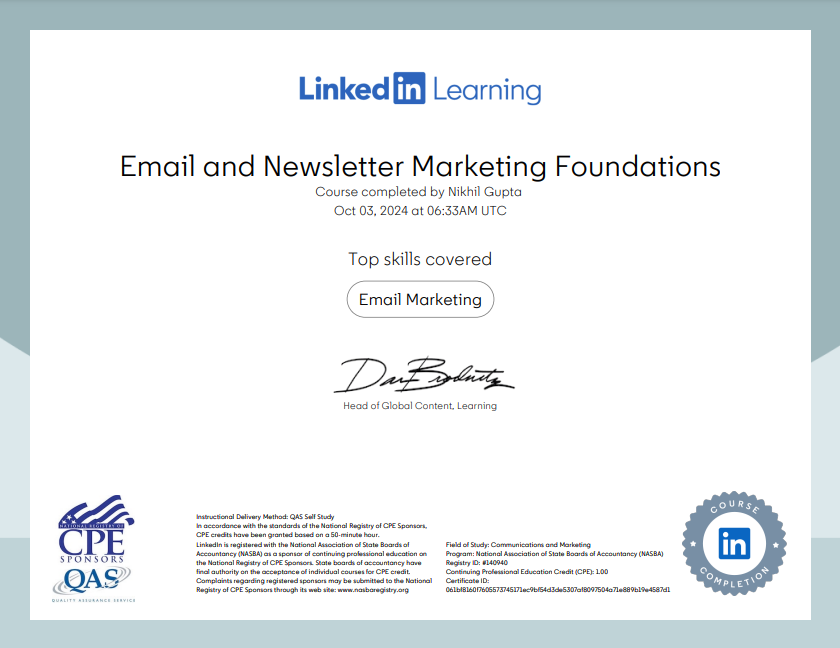
These notes are from the LinkedIn Learning course ‘Email and Newsletter Marketing Foundations‘ by Megan Adams. I highly recommend this course to anyone aspiring to become an email marketer. To access this course and learn from industry experts, consider upgrading to LinkedIn Premium.
Please note that these notes were generated using LinkedIn’s AI tool, and I don’t claim ownership of the content. I’m sharing these notes solely for educational purposes and personal revision. If you have any concerns, please contact me at marketing@youthnet.in.