
Overview of SEO
What is search engine optimization?
- Definition: Search engine optimization (SEO) involves making improvements on and off your website to gain more exposure in search engine results, leading to more visitors finding you for the right reasons.
- Search Engine Goals: Search engines aim to find, understand, and deliver relevant and authoritative content to users quickly.
- Relevance: Search engines evaluate web content based on factors like writing, code implementation, and links from other websites. They use complex algorithms to rank and return relevant pages to users.
- Authority: Authority is determined by evaluating what other websites say about a piece of content, measured through links, references, and reviews. Quality and relevance of links are crucial.
- Examples:
- For a search query like “California travel,” search engines distinguish between related terms like “California resorts” and “beach getaway.”
- For “dog crates,” search engines find pages selling dog crates highly relevant but also consider pet carriers, pet food, and dog toys to a lesser extent.
- Link Quality: Links from well-respected or industry-related sites (e.g., industry-leading blogs, nonprofits, government agencies) are more valuable than links from unrelated or low-quality domains.
- Weighted Democracy: The system can be seen as a weighted democracy where some votes (links) are worth more than others based on their quality and relevance.
Reading search engine result pages
- Search Engine Results Pages (SERPs): SERPs display the results of a user’s search query on search engines.
- Paid Listings:
- These are advertisements that appear in SERPs.
- Programs like Google Ads and Microsoft Advertising allow advertisers to bid on keyword searches.
- Paid listings are typically labeled as ads and can appear above, beside, or intermingled with organic results.
- Organic Listings:
- These are natural search results not influenced by advertising dollars.
- Generally include a headline, description, and visible URL.
- Variety of Results:
- Search engines aim to return relevant content, which can include:
- Webpages
- Videos
- Images
- News
- Products
- Maps
- Shopping-related searches might show images and prices for products.
- Other searches might feature video clips or lists of local businesses with maps.
- Search engines aim to return relevant content, which can include:
- Enhanced Results:
- Some search results might include visual carousels or enhanced sets like Google’s knowledge graph.
- Information in these enhanced results can come from sources like Wikipedia, review sites, and structured data from webpage code.
- Opportunities for Content:
- Understanding how search engines decide to show results helps in optimizing content to appear in SERPs.
- The more you understand about SERPs, the better you can optimize your content to show up above the rest.
How SEO affects your business
- Benefits of SEO:
- SEO provides significant benefits by helping businesses reach a large audience and attract targeted visitors.
- Users reveal their intent through search queries, offering valuable insights for marketers.
- While search engines don’t charge for organic listings, implementing an SEO strategy requires time, money, and resources.
- Search Intent:
- Understanding search intent is crucial. The words users type or speak into search engines indicate their specific needs and actions they want to take.
- For example, searches like “hiking trails in California” or “where to buy a digital camera” clearly indicate user intent.
- Content Relevance:
- Search engines match user queries with relevant content. Businesses can create content that meets the needs of searchers at the right moment.
- Effective SEO can drive highly targeted, intent-driven traffic to your site.
- Measuring SEO Success:
- One of the biggest benefits of SEO is the ability to measure results.
- There is a wealth of data available to track how successful you are in attracting visitors from search engines.
- You can measure user actions on your website and see if they align with your business goals, helping you understand the effectiveness of your content in advancing users through your sales funnels.
- Long-term Strategy:
- SEO is not a quick fix; it requires a long-term strategy and patience.
- Search engines take time to crawl and update their understanding of your content.
- SEO is an ongoing process that involves building authority and creating valuable content over time.
- Benefits of SEO:
Keywords: The Foundation of SEO
Planning and researching your SEO keywords
- Importance of Keywords:
- Keywords are essential for optimizing your website.
- They represent the words or phrases users type or speak into search engines.
- Formal Keyword Research:
- This foundational piece helps understand what terms to target based on relevance, search volume, and competitiveness.
- Brainstorming Keywords:
- Start by listing products, services, and problems you solve.
- Consider the perspective of potential customers.
- Avoid overly technical terms that customers might not use.
- Example:
- For a local ice cream shop, use terms like “ice cream shop near me” instead of technical descriptions.
- Tools for Keyword Expansion:
- Use tools like Google Search Console, Google Trends, AnswerThePublic, and Moz’s Keyword Explorer to find and suggest more keywords.
- Evaluating Keywords:
- Assess search volume and competition.
- Identify long-tail keywords, which are more descriptive, less competitive, and collectively valuable.
- Example:
- Instead of targeting “iPhone cases,” consider “protective iPhone cases” for more relevance and less competition.
- Keyword Categorization:
- Group keywords around themes for better management.
- Organize by product types, models, or other relevant categories.
- Ongoing Process:
- Keyword research is an exploratory and discovery exercise.
- Continuously revisit and update your target keyword list over time.
- Importance of Keywords:
Analyzing SEO keywords and leveraging keyword attributes
- Keyword Research Tools:
- Moz Keyword Explorer: Used to explore keywords, providing metrics like search volume, competitive metrics, and relevant keyword suggestions.
- Google Trends: Helps understand keyword popularity over time, geographical interest, and related queries.
- Using Moz Keyword Explorer:
- Sign-Up: Requires creating an account (free or paid versions).
- Keyword Suggestions: Type in a keyword (e.g., “iPhone cases”) to get a list of related keywords with relevancy scores and estimated monthly search volumes.
- Filtering: Options to group and filter suggestions to find long-tail opportunities.
- Difficulty and Priority Scores: Shows estimated search volume and difficulty data. A higher priority score (0-100) indicates a better balance of higher volume and lower difficulty.
- Google Trends:
- Keyword Comparison: Compare different keywords to see trends over time.
- Geographical Data: View interest by region and related queries.
- Example: For “iPhone cases,” you can see trends over the last five years and compare with related terms like “iPhone case.”
- Attributes to Consider:
- Relevance: How closely the keyword matches the content and user intent.
- Search Volume: The number of times a keyword is searched.
- Competition: How difficult it is to rank for a keyword.
- Long-Tail Keywords: More descriptive, less competitive keywords that collectively drive significant traffic.
- Data Collection:
- Downloading Data: Most tools allow downloading raw data for further analysis in spreadsheets.
- Combining Data: Integrate data from multiple tools to get a comprehensive view.
- Keyword Research Tools:
Mapping SEO keyword distribution and continually evaluating
- Keyword Distribution:
- Assigning keywords to specific pages on your website.
- Ensures content aligns with targeted keywords.
- Steps for Keyword Distribution:
- Identify Target Keywords: Use the keyword research process to find relevant keywords.
- Map Keywords to Pages: List all current pages of your website and assign keywords to each page.
- Create New Pages: For keywords without matching content, create new pages.
- Spreadsheet Example:
- Use a spreadsheet to organize keyword distribution.
- Include columns for URL, title, meta description, and H1 header.
- Use formulas to count characters and ensure they meet general targets.
- Optimization Components:
- URL, title, meta description, and H1 header are key components for optimization.
- Ensure each page has unique and relevant content.
- Ongoing Process:
- Keyword research, mapping, and evaluation are continuous processes.
- Regularly revisit and update your keyword strategy to stay current.
- Tools and Feedback:
- Use tools like Moz’s On-Page Grader for feedback and suggestions.
- Measure results and adapt your strategy based on performance.
- Paid Advertising:
- Consider using paid advertising programs like Google Ads to quickly test keyword performance before investing in long-term organic strategies.
- Keyword Distribution:
Content Optimization For SEO: How Search Engine & People Vew Webpages
Outlining content optimization
- Content Optimization: This is the process of continually improving the quality and relevancy of the words, pictures, and other elements on your pages.
- Human Perspective: When humans read content, they look for clear and relevant information. For example, a page titled “Explore California” with trip options and a big title like “Backpack Cali” indicates a travel website focused on California.
- Search Engine Perspective: Search engines also seek clarity and quality. They expect content to be directly relevant to the search terms. For instance, if the search term “backpacking in California” is not mentioned, the content may not rank well.
- Trust and Relevance: Both people and search engines want content they can trust. Relevant content with specific information, such as maps, hiking guides, and trail recommendations for backpacking in California, builds trust and is more likely to be shared.
- Optimization Strategy: Stick to tight, relevant themes and build trust to improve search engine visibility. Ensure your content is clear and trustworthy to both human readers and search engines.
Optimizing site structure
- Importance of Site Structure: Proper site structure helps search engines understand how your pages relate to one another, which is crucial for returning relevant search results.
- Analogy: The video uses the analogy of a bookstore to explain site structure. Just as a bookstore is organized into sections and shelves, your website should be organized in a way that makes it easy for both users and search engines to navigate.
- Internal Linking: The way you link to pages within your site is known as internal linking. A clear internal linking structure helps search engines crawl and understand your website.
- Examples of Good Structure:
- Online stores might use product categories that link to subcategories and then to individual products.
- Informational sites might organize content by authors, topics, and publication dates.
- Consequences of Poor Structure: A bad site structure can confuse search engines and users, leading to poor search engine rankings. Examples include:
- No navigation
- Dead-end links
- Links to non-existent pages
- Best Practices: Ensure your site structure is clear and logical for both you and your visitors. Search engines try to emulate human processes, so a well-organized site will be understood by both.
Optimizing on-page elements
- URL Optimization:
- Keep URLs concise but informative.
- Include target keywords in the URL.
- Use hyphens instead of spaces or underscores.
- Meta Title Tag:
- Should be descriptive and include the target keyword.
- Aim for around 65 characters.
- Include a call to action to entice clicks.
- Meta Description:
- Though it doesn’t directly impact rankings, it can improve clickthrough rates.
- Aim for around 156 characters.
- Write compelling text that assures users they’ve found what they’re looking for.
- H1 Header Tag:
- Should be descriptive and include the target keyword.
- Acts like a newspaper headline, giving a clear idea of the content.
- Content Optimization:
- Write for humans first, search engines second.
- Include target keywords naturally along with related themes and variations.
- Ensure content is engaging and provides real value.
- Image Optimization:
- Use descriptive file names for images.
- Include alt text to describe the image for both humans and search engines.
- Use surrounding text to provide context for non-text elements.
- Structured Data:
- Use structured data (e.g., schema.org markup) to provide rich metadata for search engines.
- Helps search engines understand and index non-text elements like videos.
- URL Optimization:
Content Optimization: Technical SEO
Inerpreting the code behind webpages for SEO
- Search Engine Perspective: Search engines view webpages as code, not as visually appealing content like humans do.
- Code Analysis: The code includes instructions for browsers to render pages, such as layout, fonts, colors, menus, links, and more.
- Metadata and Tags: Metadata and tag components in the code help search engines understand the content better.
- Advanced Frameworks: Various frameworks and languages enable animations, slideshows, and dynamic menus.
- Video Code Example: The video code is a small block that search engines see, highlighting the need for optimization.
- Optimization Areas: Ensure the website’s code is clean, efficient, and error-free to improve both user experience and search engine trust.
- Human vs. Machine: Understanding the difference between human and machine perspectives helps in making effective on-page optimizations.
Outlining how search engines index content
- Content Discovery:
- Search engines discover new content by following links, using sitemaps, and ping services.
- Internal links (menus, site directories, promotional content areas, links within existing content) help search engines find new content.
- Sitemaps:
- Sitemaps are organized lists of links to your pages that mirror your site structure.
- HTML sitemaps are linked from the footer of every page.
- XML sitemaps can be submitted directly to search engines for easier indexing.
- Robots.txt File:
- This file sets rules for search engine crawlers on how to navigate your site.
- Useful for controlling access to test pages or members-only areas.
- Note: Robots.txt blocks do not prevent indexing; use a noindex meta tag for that purpose.
- Noindex Meta Tag:
- Ensures certain pages are never returned in search results.
- Use this tag to stop pages from showing up in search engine results entirely.
- Server Performance:
- Search engines prefer fast and reliable servers.
- Tools can monitor uptime and alert you if your site is down.
- Design for speed using caching or global content delivery networks.
- Ensure your site uses the HTTPS protocol for security, which can also be a ranking signal.
- Best Practices:
- Create links for search engines to follow through a solid internal linking strategy.
- Submit sitemaps for search engines to read.
- Use robots.txt files and meta tags to guide search engines.
- Content Discovery:
Working with canonical URLs and redirects: Technical SEO
- Duplicate Content Issue:
- Duplicate content arises when slightly varied URLs point to the same content.
- Common cause: URL parameters (session IDs, tracking parameters) that don’t affect content but create different URLs.
- Canonical Tags:
- Use the
rel="canonical"metatag to instruct search engines which URL should be indexed as the main one. - This helps consolidate SEO efforts and avoid splitting rewards across multiple URLs.
- Use the
- URL Parameters Management:
- Define URL parameters in Google’s Search Console and Bing’s Webmaster Tools to specify which should be ignored.
- Content Relocation:
- When moving content, implement redirect rules to avoid having both old and new URLs indexed simultaneously.
- Types of Redirects:
- 302 Redirect (Temporary): Used for short-term moves, like during site maintenance. Tells search engines the page will be back shortly.
- 301 Redirect (Permanent): Used for long-term moves. Transfers SEO value from the old URL to the new one.
- Avoiding Problematic Redirects:
- Avoid using JavaScript or Meta Refresh Tags for redirects as they might not be properly processed by search engines.
- Best Practices:
- Ensure unique URLs for each page.
- Use canonical tags and proper redirects to maintain SEO integrity.
- Inform search engines about URL parameters and content moves through appropriate tools.
- Duplicate Content Issue:
Leveraging structured data: Technical SEO
- Understanding Structured Data:
- Search engines can identify general web content but need help with specific types like product reviews, events, videos, and recipes.
- Structured data, or schema, defines the structure and attributes of these content types.
- Schema.org:
- A collection of universal shared vocabulary founded by major search engines.
- Helps search engines identify and understand specific content types on your pages.
- Example of a Recipe:
- Humans can easily recognize a recipe, but search engines see fragmented text and numbers.
- Structured data explicitly tells search engines that the content is a recipe, including details like ingredients, prep times, and nutritional information.
- Benefits:
- Enhances search engine understanding and indexing of content.
- Helps return relevant search results for specific queries (e.g., searching for a chef’s recipes or specific ingredients).
- Types of Structured Data:
- Over 800 types available on Schema.org.
- Can be used to describe books, events, local business information, product details, etc.
- Implementation:
- JSON-LD (JavaScript Object Notation for Linked Data) is the recommended method for implementing structured data.
- General Rule:
- Whenever possible, identify content specifically for search engines using structured data to improve search visibility and user experience.
- Understanding Structured Data:
Using Google Search Console for SEO
- Webmaster Tools:
- Major search engines offer webmaster tools to analyze website performance in search results.
- Google Search Console is used as an example in this video.
- Adding a Property:
- Add your website as a property (e.g., www.explorecalifornia.org).
- Verification methods include uploading an HTML file, adding a metatag, changing DNS records, or using Google Analytics/Tag Manager.
- Dashboard and Menu:
- After verification, access the dashboard and menu for various features.
- Site Messages: Check for warnings, alerts, and important information.
- URL Inspection: Inspect how Google has crawled and indexed a specific page, and request reindexing if needed.
- Performance Section:
- Search Results Reports: View impressions, clicks, click-through rate, and average position.
- Analyze data by search queries, pages, countries, device types, and search appearance.
- Index Section:
- Coverage Report: Identify issues with content indexing, such as duplicate content, blocked content, and crawl anomalies.
- Sitemaps: Submit and monitor the status of XML sitemaps.
- Removals: Remove specific URLs or prefixes from indexing temporarily (6 months).
- Experience Section:
- Mobile Usability Report: Identify issues with content on mobile devices.
- Enhancements: Reports on advanced features like AMP and structured data types.
- Security and Manual Actions:
- Check for malware, hacking evidence, and manual actions affecting search visibility.
- Links Section:
- View reports on external and internal links to your pages, aiding off-page and on-page optimization.
- Exploration and Updates:
- Continuously explore new features and tools in Google Search Console to stay updated on your site’s performance and issues.
- Webmaster Tools:
Using the Google Page Experience signal and Core Web Vitals
- Importance of User Experience:
- Search engines evaluate how users perceive your site, including loading speed, interactivity, and stability.
- Core Web Vitals:
- Largest Contentful Paint (LCP): Measures the time it takes to render the largest visible content element. Aim for a fast LCP to improve user experience.
- First Input Delay (FID): Time from a user’s first interaction (click, tap) to the browser’s response. Lower FID indicates better interactivity.
- Cumulative Layout Shift (CLS): Measures unexpected layout shifts during page load. Lower CLS ensures visual stability.
- Tools and Reports:
- PageSpeed Insights:
- Segments results by mobile and desktop.
- Provides field data (real user interactions) and lab data (simulated environment).
- Field data is used for ranking purposes and fluctuates with each 28-day collection period.
- Lab data helps identify issues and suggests improvements.
- PageSpeed Insights:
- Metrics in Reports:
- Field Data: Includes LCP, FID, CLS, and First Contentful Paint (FCP).
- Lab Data: Includes Speed Index, Time to Interactive, and Total Blocking Time (similar to FID).
- Page Experience Signals:
- Core Web Vitals are part of a broader set of signals, including mobile-friendliness, HTTPS security, and avoiding intrusive interstitials.
- Improvement Strategies:
- Regularly check and fix issues using tools like PageSpeed Insights.
- Design for speed, security, and performance to enhance search visibility and user experience.
- Importance of User Experience:
Planning content over the long term
- Content is King:
- Great content is crucial for SEO and is what search engines aim to return to users.
- Strategy:
- Start with clearly defined goals and objectives tied to business KPIs (sales leads, signups, downloads, views).
- Understanding the Audience:
- Know your target audience, their problems, and how they talk about them.
- Use customer personas to dive deeper into their needs and behavior.
- Formal Plan:
- Create a rolling editorial or content calendar.
- Plan what content will be created, when, targeting which keywords, where it will live, who is responsible, how it will be promoted, and track its progress.
- Content Types:
- Include web pages, blog posts, slideshow presentations, images, infographics, videos, podcasts, augmented and virtual reality, and more.
- Generating Ideas:
- Scan news, social media, industry groups, and competitors.
- Provide expert opinions on hot topics, fill gaps in conversations, or comment on trends.
- Leverage relationships for case studies, guest posts, or articles about industry awards.
- Execution:
- Ensure impeccable grammar, spelling, and language use.
- Maintain a healthy respect for online reputation management.
- Follow well-crafted policies for writing and publishing content.
- Promotion and Measurement:
- Promote new content through your homepage, newsletters, and social sharing.
- Use web analytics tools to measure content performance, engagement, popularity, and contribution to KPIs and business objectives.
- Content is King:
Links, Measurement, and AI for SEO
Outlining the importance of links for SEO
- Role of Links in SEO:
- Links are crucial for SEO as search engines use them to discover new content.
- Each link acts as a vote of confidence for the content it points to.
- Quality vs. Quantity:
- Both the number and quality of links matter.
- High-quality links from authoritative and relevant sites are more valuable.
- Relevance of Links:
- Links should be thematically related to your content.
- For example, a food blog linking to a recipe website is relevant, while a pet supply site linking to a recipe site is not.
- Anchor Text:
- The text used in a link (anchor text) provides clues to search engines about the content it links to.
- Descriptive anchor text (e.g., “California backpacking tips”) is more effective than generic text (e.g., “click here”).
- Link Quality Indicators:
- Search engines look for a steady, natural growth of links over time.
- Sudden spikes in links from random sources may indicate manipulative practices.
- Avoiding Black Hat Methods:
- Do not try to trick search engines with black hat techniques, such as buying links.
- Penalties for such practices can range from lower rankings to complete removal from search indexes.
- Social Sharing:
- Social sharing of content is also a signal of its value, even though it isn’t a traditional link.
- Building Trust and Authority:
- Consistently earning high-quality links and references shows search engines that your content is trustworthy and authoritative.
- Role of Links in SEO:
Building links for SEO
- Internal Links:
- Navigation Links: Part of the site’s framework, found on every page (e.g., menus, footers, breadcrumb trails).
- Contextual Links: Found within the content of a specific page, pointing to other pages on your site. They help users and search engines understand the content and importance of pages.
- External Links:
- Directories: Use trusted directories with an editorial review process (e.g., local business directories, industry-specific groups).
- Content Enticement: Create high-quality content that naturally attracts links from reputable sources.
- Outreach: Leverage newsletters, blogs, networks, and social connections to share content. Reach out to relevant websites, professors, industry associations, or customers for links.
- Social Channels:
- Sharing content on social media acts like a link, conveying trust and importance to search engines.
- Analyzing Competitors:
- Use tools like Moz’s link explorer to analyze backlinks of well-ranking sites for target keywords. Identify potential link opportunities.
- Nonprofits and Educational Entities:
- Collaborate with nonprofits, educational, and government entities for trustworthy backlinks.
- Avoiding Bad Practices:
- Avoid buying links or trading links with irrelevant sites. Stick to ethical practices to prevent penalties from search engines.
- Long-term Strategy:
- Focus on creating and managing internal links and high-quality external backlinks over time to build a trustworthy link profile.
- Internal Links:
Measuring SEO performance
- Importance of SEO Measurement:
- Analyzing where SEO efforts are paying off and identifying areas for improvement.
- Requires a holistic approach to evaluating business outcomes and making data-driven adjustments.
- Web Analytics Solutions:
- Ensure you have a web analytics tool installed and properly configured (e.g., Google Analytics, Adobe Analytics).
- Configure the tool to track specific goals and business outcomes.
- Validate your implementation to trust your data for confident decision-making.
- Key Performance Indicators (KPIs):
- Define KPIs to measure success and failure.
- Examples: contact form submissions, newsletter signups, e-commerce purchases, webinar signups, content downloads, video views, shares, follows, likes.
- SEO-Specific KPIs:
- Track total organic visits from search engines over time (month-over-month, year-over-year).
- Use analytics tool features like segmentation to analyze traffic from different search engines and geographies.
- Conversion Tracking:
- Focus on how traffic converts to business goals and provides value to the bottom line.
- For e-commerce: track revenue, average order values, and transactional data.
- For non-e-commerce: track leads generated through forms, contacts, and more.
- Advanced Tools:
- Use tools to track phone calls and other conversion actions.
- Track keyword rankings over time using automated tools (e.g., Moz).
- For advanced enterprises, use attribution solutions to understand SEO impact across various touchpoints.
- Continuous Improvement:
- SEO is a continuous cycle of measurement, learning, and taking action.
- Analyze data to identify changes, implement them, and measure their impact.
- Data Collection and Reporting:
- Ensure you’re collecting the right data and reporting KPIs meaningfully.
- Leverage analysis to understand and improve your SEO strategy continuously.
- Importance of SEO Measurement:
Analyzing keywords and links
- Starting Point:
- Begin by analyzing the different links and keywords that help your site rank and bring visitors.
- Use tools like Google Analytics and ensure it is linked with Google Search Console.
- Google Search Console Queries Report:
- Access this report from the acquisition menu to see keywords driving traffic to your site.
- Provides data on clicks, impressions, click-through rates, and average positions.
- Look for keywords with high impressions but low click-through rates to identify areas for improvement.
- Titles and Descriptions:
- Adjust titles and descriptions to improve click-through rates.
- Analyzing Post-Click Behavior:
- Use the all traffic source medium report in Google Analytics.
- Filter by “organic” to see what organic traffic is doing on your site.
- Understand engagement and conversion metrics from organic search traffic.
- Keyword Data Limitations:
- Outside of Search Console, search engines provide limited organic keyword data to web analytics tools.
- Use acquisition, behavior, and conversion metrics to gauge traffic quality and engagement.
- Analyzing Links:
- Use tools like Moz’s Link Explorer to analyze backlink metrics.
- Focus on metrics indicating the success of your link-building efforts.
- Domain Authority:
- Higher domain authority indicates a stronger ability to influence rankings.
- Monitor the growth of your link portfolio and its impact on domain authority.
- Inbound Links Report:
- Review the authority of pages and domains linking to your site.
- Identify areas for action, such as improving anchor text or disavowing low-quality links.
- Continuous Monitoring:
- Regularly grow and monitor your link portfolio.
- Consistent monitoring and measurement provide feedback for continuous improvement.
- Starting Point:
AI for discovery
- AI in SEO:
- AI is being integrated into search algorithms and results by search engines.
- It offers practical ways to enhance SEO efforts, making them more efficient.
- Keyword Research:
- AI can assist in creating initial lists of potential keywords, expanding them into long-tail phrases, and organizing them into themes and categories.
- Example: For a local ice cream parlor, AI can generate keywords related to seasonality, different audiences, discounts, promotions, and niche areas like vegan or gluten-free options.
- AI can categorize keywords by search intent (informational, transactional, commercial, navigational).
- Internal Linking:
- AI can help create meaningful anchor text, avoiding generic phrases like “click here”.
- It can suggest internal linking improvements by analyzing content.
- External Linking:
- AI can identify opportunities for external links and help craft outreach communications.
- Example: AI can suggest strategies to increase engagement from other websites and social media platforms.
- Efficiency and Effectiveness:
- AI can save time and discover opportunities that might be missed otherwise.
- It can be incorporated into various SEO workflows for continuous improvement.
SEO measurement and AI
- Leveraging AI for SEO:
- AI helps in measuring SEO outcomes efficiently.
- AI can unlock actionable insights from data, making analysis easier.
- Key Performance Indicators (KPIs):
- KPIs are crucial for defining metrics to measure success or failure.
- Examples of KPIs: contact form submissions, newsletter signups, purchases, etc.
- Chatbots can help generate ideas for relevant KPIs.
- Using Chatbots for KPI Suggestions:
- Chatbots can provide broad suggestions for KPIs.
- Further refinement can yield more specific and actionable KPIs.
- Data Analysis with AI:
- AI can analyze large datasets quickly.
- Example: Uploading keyword data from Google Search Console to identify keywords with high impressions but low clicks.
- AI can suggest optimization opportunities for these keywords.
- Practical Applications:
- AI can help understand user interactions with content.
- It can analyze data from web analytics tools to provide insights on user behavior.
- AI can also help with competition analysis and ranking trends over time.
- Efficiency and Effectiveness:
- AI acts as a virtual analyst, providing quick wins and starting points.
- It’s not a replacement for ongoing data analysis but a tool to enhance efficiency.
- Continuous Improvement:
- AI helps focus SEO efforts on what matters most, making optimization more effective and efficient.
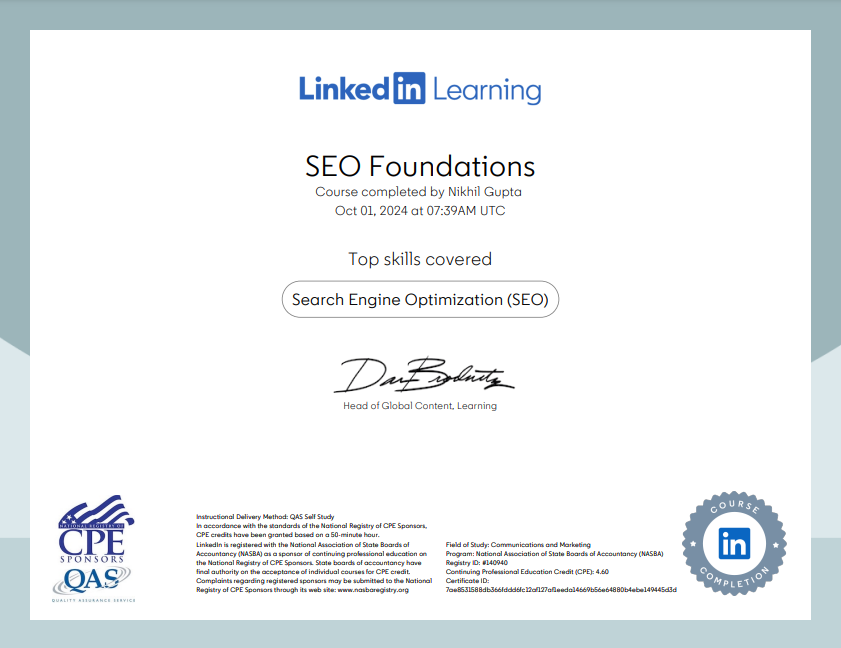
These notes are from the LinkedIn Learning course ‘SEO Foundations‘ by David Booth. I highly recommend this course to anyone aspiring to become an SEO Expert. To access this course and learn from industry experts, consider upgrading to LinkedIn Premium.
Please note that these notes were generated using LinkedIn’s AI tool, and I don’t claim ownership of the content. I’m sharing these notes solely for educational purposes and personal revision. If you have any concerns, please contact me at marketing@youthnet.in.